
A shared inbox feels like a free solution. Everyone can see the mail, nobody needs training, and nothing has to be bought. The trouble is that it only shows you messages. It doesn't tell you who is handling one, whether anyone replied, or what's still waiting. When requests start slipping, that missing information is a good place to investigate.
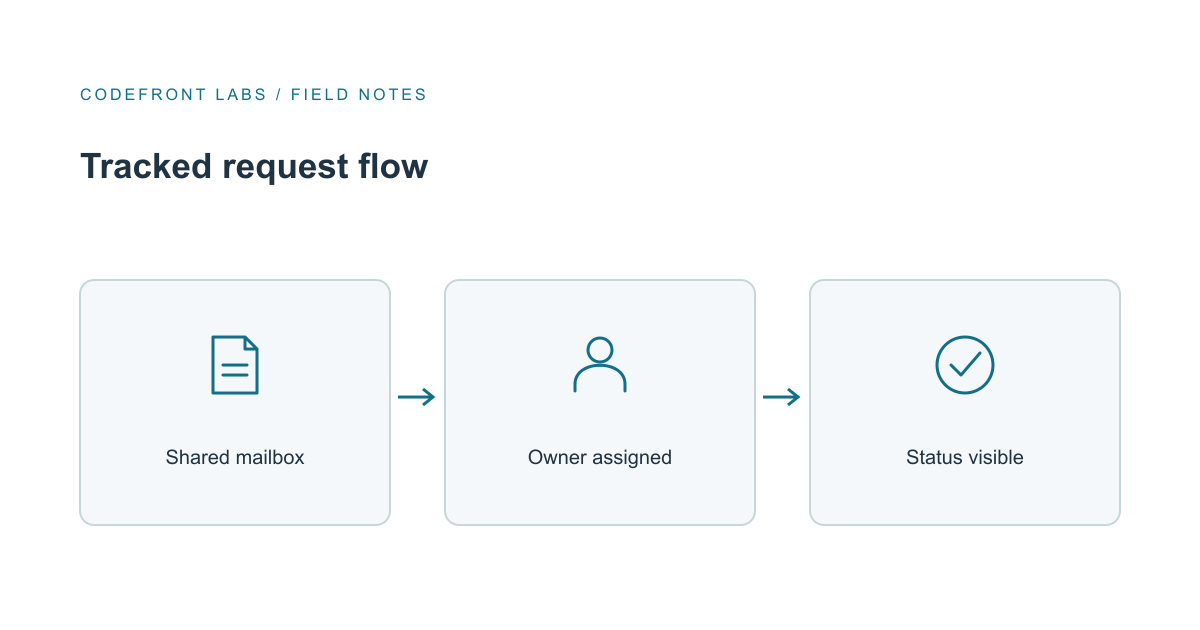
My view: don't jump to a new platform. First decide which emails count as real requests, give each one a single owner and a visible status, and see whether a simpler tool covers it. Custom software only earns its place when the rules depend on information your mail system doesn't have.
How the losses actually happen
For example, say a small distribution company has one mailbox for supplier and customer questions, and three people watch it. A supplier asks about a delayed delivery. Each person assumes a colleague has replied, because the thread has activity on it. A week later the supplier calls the owner, annoyed. The email was never ignored on purpose. It was simply nobody's job.
That's the pattern to watch for. Shared inboxes rarely lose mail. They lose ownership. The costly failures are duplicate replies, silent gaps, and a manager who learns about a stalled request from the person waiting on it.
A quick diagnostic: take the last ten real requests and check who answered each, how long the first reply took, and whether anyone recorded a status. If you can't answer those from the mailbox alone, you've found the problem, and you've also got a baseline to compare against later.
Decide what counts as work
Not every message deserves tracking. A practical test is that a message becomes a tracked request when it asks your team to do something, someone outside is waiting, and a deadline or commitment sits behind it. Newsletters, automated notices and confirmations of finished matters stay as ordinary mail.
That's a judgment call, not a law, so try it against two weeks of real email. If too much lands in the queue, people stop trusting it and drift back to ignoring it. A smaller, believable queue beats a complete, noisy one.
From there, the rules are modest. Each request gets one owner, a backup for when that person is away, and a short list of statuses: open, assigned, waiting on the other party, closed with a reason. Be clear about what "answered" means, such as a reply sent from the shared address, so a quick answer from someone's personal mailbox doesn't leave the record blank.
Try the simple tools first
Before anyone writes software, check what you already have. Google's collaborative inbox feature in Google Groups lets team members assign conversations and track tasks, which is often enough for one mailbox and a small team. Dedicated shared-inbox helpdesk products add assignment, status and reporting on top of email, and they're worth evaluating the same way. If you're on Microsoft, look carefully at what your current plan offers for ownership and status before assuming it falls short.
Test any candidate with real threads from your own mailbox, not a polished demo. Can it give a request one owner? Does a reply stay attached to the original conversation? Can you see unassigned work at a glance, and can you export the history if you leave? If the answers are yes, you've solved the problem for the cost of a subscription and a few team habits.
When custom routing is justified
Custom work starts making sense when the right handling of a request depends on things the inbox can't see. Say a request from a top-tier account with an open order should go to a specific person within the hour, while the same question from a prospect can wait a day. Or closing a request must update an order system or a supplier record automatically. Those rules depend on your business data. First check whether the inbox product's existing integrations can connect it; custom work becomes relevant when they can't support the actual workflow.
When we built QueueMind, our support triage product, we kept that split deliberate: a model can propose a category and a draft reply, but ordered rules, permissions and an explicit human confirmation decide what actually happens to a request. Routing that depends on your business data belongs in rules your team can read and change, not in a model's judgment.
The tradeoff is ongoing ownership. A custom layer needs someone to watch it, handle failures quietly, and adapt when the mail platform changes. That's a real cost, and it's why we'd only recommend it when the simpler options have clearly run out. Late replies, duplicates and attachments are manageable with plain rules: link duplicates to one primary request instead of deleting them, keep files in the original message, and reopen a closed request when a genuinely new question arrives.
A sensible next move
Start with one mailbox. Record how many requests go unanswered past your own target window and how long the first reply typically takes. Change the habits, try a native tool, then measure again. Your own before-and-after numbers are the only comparison that matters here.
If you find that the decisive information sits in other systems, we're happy to talk it through. You can tell us which systems hold that information, and our workflow automation service covers mapping the rules and connecting the tools. If you're still working out what to build at all, our guide to mapping custom software work first is a good place to begin.
Prepared with AI-assisted research and writing, with automated editorial checks before publication.