
When an automation that ran cleanly for a year starts doing things twice, the automation itself is rarely what changed. A common trigger is ordinary growth: a team adds a second application server to handle more traffic, and the 8:00 overdue-invoice reminder now reaches some customers twice, seconds apart. Nothing is obviously broken.
The reminder code didn't change. The conditions around it did. That's why we'd start by looking at ownership: Somebody has to decide which single copy of your software is responsible for each scheduled run, and if nobody decided, every copy assumes it's them.
The schedule belongs to someone, and it's probably everyone
Many applications keep their own built-in clock. Each copy of the app wakes up at 8:00, sees that a reminder is due, and sends it. With one server, that's fine. With two, you get two reminders. With three, you get three.
The tell-tale signs are easy to spot. Duplicates arrive at the same scheduled time, the logs show two starts within moments of each other, and the problem vanishes when only one server is running. That points to scheduling, not to a flaky integration. Also check retries after connection failures; the timing alone can't rule those out.
Even schedulers that live outside your app can misbehave. The Kubernetes documentation on CronJobs says a scheduled job can sometimes be created twice or not at all, and that jobs should therefore be idempotent, meaning safe to repeat. It also notes that its concurrency policies only apply to jobs from the same CronJob, so a separate or manual run can slip past the guard. If the infrastructure's own documentation tells you to expect the occasional repeat, assume it will happen to you.
Decide what a repeat costs before you decide what to build
This is the step people skip, and it saves the most money. For each scheduled job, ask what happens if it runs twice, and what happens if it doesn't run at all.
A nightly export that overwrites yesterday's file is nearly harmless when doubled. A status update that runs twice and lands in the same state is also fine. But a customer email, a payment-related notice, or a message to an accounting system is different. Those can't be taken back, and customers remember them.
So the answer isn't one fix for everything. Low-stakes jobs need a light touch. Jobs that contact customers deserve real care. Treating them all the same either wastes effort or leaves the risky ones exposed.
Two fixes that work together
There are really two separate problems, and they need two separate answers.
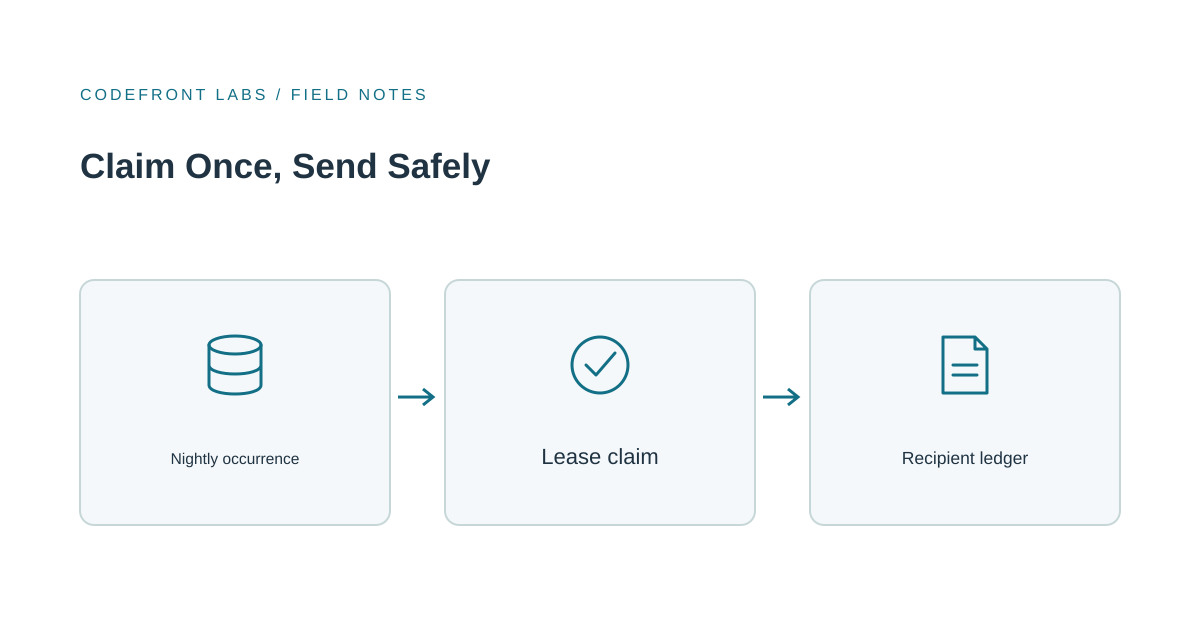
The first is making sure only one copy starts each run. The simplest way is to move the schedule out of the application, so one scheduler triggers the job once. If it has to stay inside the app, copies can coordinate through something shared, like a database, where the first to record "I'm handling the 8:00 run on this date" wins and the rest step aside. The key is that the database enforces the winner, not application code hoping to be fast enough.
The second is making the job safe if it does run twice, or stops halfway. This is the part that gets forgotten. Say the reminder job crashes after sending 200 of 500 emails. Another copy takes over. Without a record of who already got a message, it starts from the top and the first 200 customers hear from you again. A delivery ledger helps: keep one entry per customer per scheduled reminder, so a restart can skip confirmed sends. But if the send succeeded and recording that success failed, the result is uncertain. The job needs a way to check delivery or hold that case for review before sending again.
We designed Warrant, the command-line harness we're building for running coding agents in CI, around the same problem. It pins its work list and records intent and outcomes as it goes, so hitting a deadline leaves a resumable state rather than a reason to repeat work that already landed.
Neither fix replaces the other. Single ownership reduces duplicates but can't stop a repeat after a crash. A ledger handles the crash but is wasteful if every server is racing to do the same work. Together they're sturdy.
Ask whether the sending service supports an idempotency key: an identifier that lets it recognize repeated attempts at the same send. Without that protection or a way to confirm delivery, a crash can leave you choosing between a possible duplicate and a possible missed message. For many businesses, one rare duplicate is acceptable. For others it isn't, and that should be a deliberate decision, not a surprise.
When a simpler tool is enough
Custom work isn't always the answer. If you run a single server, you may not need coordination between servers, though retries and crashes still deserve attention. If one job runs from a platform scheduler and its effect is harmless to repeat, an overlap setting is probably enough. Even with several servers, a simple shared lock may do the job for idempotent work like overwriting an export.
Custom design earns its keep when the schedule has to live inside your app, several jobs need the same safeguards, or customers receive messages you can't unsend. It's also worth it when the business wants a trustworthy record of what was sent and when, because that record helps with support questions long after the incident.
The next move is small: list your scheduled jobs, note what each one changes or sends, and mark the ones where a double run would embarrass you. That short list usually shows where the real risk is.
If some of those jobs run on more than one server and you'd like a second opinion, tell us what they send or change and we'll give you an honest view. Our workflow automation service covers this kind of work, and if your jobs also write to other systems, our piece on the CRM and accounting integration covers retry-safe writes in more detail.
Prepared with AI-assisted research and writing, with automated editorial checks before publication.